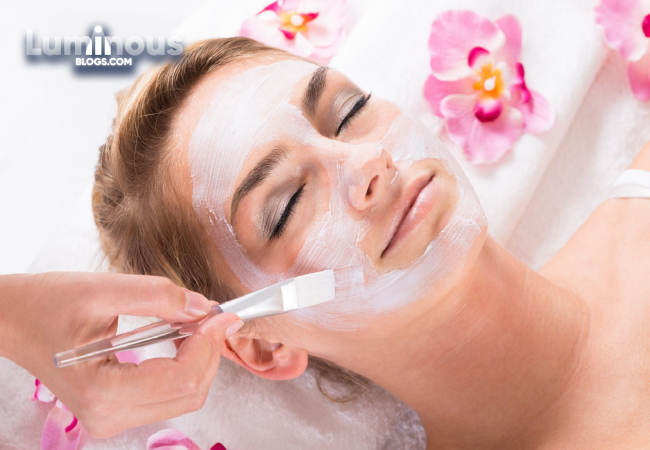


Introduction
Healthy, glowing skin is not only a sign of external beauty but also a reflection of your overall well-being. Your skin is the largest organ of your body, and it deserves care, attention, and nourishment. Achieving and maintaining healthy and radiant skin isn't just about genetics; it's a result of a consistent and personalized skincare routine. In this blog, we will delve into the world of skincare, exploring the essentials of a daily skincare routine, understanding your skin type, and unlocking the secrets to achieving that enviable glow.
Understanding Your Skin Type
Before diving into the specifics of a skincare routine, it's crucial to understand your skin type. Knowing your skin type helps you choose the right products and tailor your routine to meet your unique needs. There are four main skin types:
Normal Skin: Normal skin is balanced, with a good oil-water ratio. It's not too oily or too dry, and it generally doesn't have many issues. Normal skin is smooth, clear, and has minimal sensitivity.
Oily Skin: Oily skin tends to produce excess sebum, making it prone to acne and blemishes. It can have enlarged pores and may look shiny, especially in the T-zone (forehead, nose, and chin).
Dry Skin: Dry skin lacks moisture and can feel tight, rough, or flaky. It may also be more prone to fine lines and wrinkles due to dehydration.
Combination Skin: Combination skin is a mix of two or more skin types. Commonly, it's oily in the T-zone and dry or normal on the cheeks.
Sensitive Skin: Sensitive skin is easily irritated by various factors, such as weather, certain ingredients in skincare products, or even stress. It can appear red, itchy, or experience burning sensations.
Understanding your skin type allows you to select the most appropriate products and customize your skincare routine accordingly.
The Essentials of a Skincare Routine
A well-rounded skincare routine should consist of essential steps that address various aspects of skin health. Here's a breakdown of the core components of a daily skincare routine:
Cleansing: Start your routine with a gentle cleanser to remove impurities, makeup, and excess oil. Use lukewarm water, as hot water can strip the skin of its natural oils. Cleansing is crucial for maintaining clear and healthy skin.
Toning: Toning helps balance the skin's pH levels, tighten pores, and prepare the skin for the next steps in your routine. Choose a toner that suits your skin type.
Serums: Serums are concentrated products designed to target specific skin concerns. Depending on your needs, you can incorporate serums that address issues like fine lines, dark spots, or hydration.
Moisturizing: Hydration is key to maintaining healthy and glowing skin. Apply a moisturizer suitable for your skin type to lock in moisture and create a protective barrier.
Sun Protection: Sunscreen is perhaps the most crucial step in any skincare routine. UV rays can cause premature aging, sunspots, and even skin cancer. Use a broad-spectrum sunscreen with an SPF of at least 30 daily, even on cloudy days.
Exfoliation: Exfoliating helps remove dead skin cells, unclog pores, and improve skin texture. There are two main types of exfoliation: physical (scrubs) and chemical (alpha hydroxy acids, beta hydroxy acids). Choose the method that suits your skin type and concerns.
Nighttime Routine: Your skin repairs and regenerates itself while you sleep. A nighttime skincare routine can include cleansing, toning, and applying products like serums and creams that promote skin renewal.
Additional Skincare Tips
In addition to a daily skincare routine, there are a few additional tips that can help you achieve healthy and glowing skin:
Stay Hydrated: Drink plenty of water to keep your skin hydrated from the inside out.
Healthy Diet: A balanced diet rich in fruits, vegetables, and antioxidants can support skin health.
Adequate Sleep: Aim for 7-9 hours of quality sleep each night to allow your skin to rejuvenate.
Reduce Stress: High-stress levels can negatively impact your skin. Practice stress-reduction techniques like meditation, yoga, or deep breathing exercises.
Avoid Smoking and Limit Alcohol: Smoking and excessive alcohol consumption can harm your skin's health. Cutting back or quitting can lead to noticeable improvements.
Regular Exercise: Physical activity boosts circulation and can give your skin a healthy glow.
Professional Consultation: If you have specific skin concerns or issues that persist despite a consistent skincare routine, consider consulting a dermatologist or skincare specialist for tailored advice.
Customizing Your Skincare Routine
Your skincare routine should be tailored to your skin type, needs, and concerns. Here are some general guidelines for customizing your routine based on your skin type:
Oily Skin: Opt for oil-free or gel-based products. Use a lightweight, non-comedogenic moisturizer. Consider products with salicylic acid to control oil.
Dry Skin: Choose hydrating and nourishing products. Look for moisturizers with ingredients like hyaluronic acid or ceramides. Use a richer, oil-based cleanser.
Combination Skin: Apply different products to different areas of your face to address the unique needs of each zone. For example, use a gentle, hydrating cleanser for dry areas and an oil-control product for oily zones.
Sensitive Skin: Select products that are fragrance-free and formulated for sensitive skin. Avoid harsh exfoliants and physical scrubs. Use gentle, soothing ingredients like aloe vera and chamomile.
Normal Skin: You have the freedom to choose from a wide range of products, but still, tailor your routine to address any specific concerns you may have.
Conclusion
Achieving healthy and glowing skin is a journey that requires care, consistency, and an understanding of your unique skin type and needs. By following a well-rounded skincare routine that includes cleansing, toning, moisturizing, sunscreen, and specific treatments as needed, you can nurture your skin to its full potential. Remember to stay hydrated, eat well, manage stress, and protect your skin from harmful UV rays. Ultimately, your skin is a reflection of your overall well-being, so prioritize self-care and enjoy the radiant results of your efforts.
The quest for beauty and radiant skin has been a timeless pursuit. While there's a plethora of skincare and haircare products available on the market, many individuals are turning to natural and homemade remedies to enhance their beauty routines. Natural beauty remedies not only offer the benefit of being free from harsh chemicals but also promote a holistic approach to self-care. In this blog, we will delve into the world of natural beauty remedies, exploring DIY tips for skin and hair that can help you achieve a healthy and vibrant appearance while celebrating the gifts of nature.
Understanding Natural Beauty Remedies
Natural beauty remedies harness the power of various natural ingredients, such as fruits, herbs, oils, and more, to address common skincare and haircare concerns. These remedies often rely on time-tested traditions and the wisdom of generations, offering a sustainable and eco-friendly alternative to commercial beauty products.
By incorporating natural ingredients into your beauty routine, you can enjoy a range of benefits, including:
Gentle on Skin and Hair: Natural ingredients are generally milder and less likely to cause skin or hair irritations compared to synthetic chemicals.
Environmentally Friendly: Using natural ingredients often means reducing the environmental impact of your beauty routine. Many natural remedies can be sourced sustainably.
Cost-Effective: Natural beauty remedies can be more budget-friendly than store-bought products. Many ingredients are readily available and affordable.
Customization: You have the freedom to tailor natural remedies to your specific needs and preferences.
Holistic Approach: Natural remedies often incorporate aromatherapy and other holistic practices that benefit not only your physical appearance but also your mental and emotional well-being.
DIY Tips for Healthy and Glowing Skin
Honey Face Mask: Honey is a natural humectant, which means it helps lock in moisture. Create a honey face mask by applying raw honey to your face and leaving it on for 15-20 minutes. Rinse with warm water for a natural glow.
Oatmeal Scrub: Oatmeal is an excellent exfoliant that gently removes dead skin cells. Mix ground oatmeal with water to form a paste, then apply it to your face, gently scrubbing in circular motions.
Aloe Vera Gel: Aloe vera has soothing and hydrating properties. Apply aloe vera gel directly to your skin to soothe irritation, reduce redness, and hydrate dry skin.
Tea Tree Oil for Acne: Diluted tea tree oil can help combat acne. Mix a few drops of tea tree oil with a carrier oil, like coconut oil, and apply it to blemishes.
Cucumber Slices: Place cucumber slices on your eyes to reduce puffiness and refresh tired eyes. Cucumber has natural anti-inflammatory properties.
DIY Tips for Healthy and Shiny Hair
Coconut Oil Hair Mask: Coconut oil is a fantastic natural hair conditioner. Warm some coconut oil and apply it to your hair, leaving it on for at least 30 minutes or overnight for deep conditioning. Wash it out thoroughly.
Egg White Mask: Egg whites are rich in proteins that can strengthen hair. Beat an egg white and apply it to your hair, focusing on the roots. Leave it on for 20 minutes and rinse with cool water.
Avocado Hair Mask: Avocado is packed with healthy fats and vitamins that nourish your hair. Mash a ripe avocado and apply it to your hair, leaving it on for 30 minutes before rinsing.
Hibiscus Rinse: Hibiscus flowers are known to boost hair growth and prevent premature graying. Boil hibiscus flowers in water, strain, and use the liquid as a hair rinse.
Apple Cider Vinegar Rinse: A diluted apple cider vinegar rinse can help balance your hair's pH, reduce dandruff, and add shine. Mix one part apple cider vinegar with three parts water and apply it to your hair after shampooing.
Caution and Allergy Considerations
While natural remedies can be gentle and effective, it's important to be aware of any potential allergies or skin sensitivities. Before applying any new ingredient to your skin or hair, it's advisable to perform a patch test. Apply a small amount of the ingredient on your forearm or behind your ear and wait for 24 hours to check for any adverse reactions.
Conclusion
Natural beauty remedies offer a wonderful way to enhance your skincare and haircare routines while celebrating the gifts of nature. By incorporating these DIY tips into your daily regimen, you can achieve healthy and radiant skin and hair without relying on harsh chemicals or synthetic products. Embrace the beauty of natural ingredients, customize your beauty routine to your unique needs, and enjoy the benefits of a holistic approach to self-care. In your quest for beauty, remember that nature has provided us with a treasure trove of remedies waiting to be explored.
Embarking on an off-road adventure is an exhilarating experience that allows you to explore the world's most rugged and untouched landscapes. From rocky trails to desert dunes, off-roading offers a unique way to connect with nature and satisfy your thirst for adventure. However, a successful off-road journey requires careful preparation and the right equipment. In this blog, we'll guide you through the essential steps to prepare for the ultimate off-road adventure.
Choose Your Off-Road Destination
The first step in planning your off-road adventure is to choose your destination. Do you dream of navigating mountain trails, conquering sand dunes, or venturing into dense forests? Research potential locations, consider the terrain, climate, and the level of difficulty, and select a destination that aligns with your interests and skill level.
Prepare Your Vehicle
Your choice of vehicle is crucial for off-roading. While some adventure enthusiasts invest in specialized off-road vehicles like Jeeps or ATVs, many off-road journeys can be undertaken with a regular 4x4 vehicle. Ensure your vehicle is in good condition and equipped for off-road travel:
Tires: Opt for off-road tires with aggressive tread patterns to provide better traction in challenging terrain.
Suspension: Consider upgrading your suspension to handle rough terrain and provide a smoother ride.
Skid Plates: Install skid plates to protect the vehicle's undercarriage from rocks and debris.
Snorkel: If your adventure involves water crossings, a snorkel can prevent engine damage by raising the air intake.
Recovery Gear: Carry essential recovery gear like a winch, tow straps, and recovery tracks to get out of sticky situations.
Communications: Invest in a reliable two-way radio or satellite communication device for safety and staying in touch with your group.
Spare Parts and Tools: Bring necessary tools and spare parts like belts, hoses, and fuses for on-the-go repairs.
Vehicle Maintenance
Before hitting the trail, ensure your vehicle is well-maintained. Check the engine, brakes, transmission, and all fluids. Change the oil and oil filter, inspect the battery, and make sure your vehicle is in excellent working order.
Safety First
Safety should be a top priority during off-road adventures:
Seatbelts: Ensure all passengers are wearing seatbelts. Install racing harnesses if necessary.
Roll Cage: Consider a roll cage for added safety, especially if you're traversing difficult terrain.
Fire Extinguisher: Keep a fire extinguisher in your vehicle for emergencies.
First Aid Kit: A well-equipped first aid kit is essential.
Emergency Kit: Include items like blankets, food, and water in case you get stuck.
Know Your Limits: Don't push yourself or your vehicle beyond your skill level or capabilities.
Off-Road Driving Skills
Off-roading requires a different set of skills than driving on paved roads. If you're new to off-road driving, consider taking an off-road driving course to learn the basics. Practice skills like navigating steep inclines and declines, crossing obstacles, and understanding proper tire pressure adjustments.
Tire Pressure Management
Adjusting tire pressure is a key aspect of off-roading. Lower tire pressure can improve traction on soft surfaces like sand, while higher pressure is necessary for rocky terrain. A tire pressure gauge and portable air compressor are essential tools to carry.
GPS and Navigation
Off-road adventures often take you into remote areas where GPS and navigation systems may not work reliably. Carry paper maps, a compass, and a handheld GPS device to ensure you stay on course.
Prepare for Weather Conditions
Weather can change rapidly in off-road environments. Dress appropriately for the climate and carry additional clothing, including rain gear, if needed. Also, consider the season and potential temperature fluctuations.
Travel in a Group
Off-roading with a group of fellow enthusiasts is not only more enjoyable but also safer. A group can assist with vehicle recovery and navigation, provide support in case of emergencies, and share the adventure with you.
Know the Trail Rules and Regulations
Before heading out, research the trail you plan to explore. Familiarize yourself with any rules, regulations, and permits required for off-roading in that area. Follow all trail guidelines to minimize environmental impact and maintain the trail's integrity.
Leave No Trace
Practicing responsible off-roading involves leaving no trace of your adventure. Dispose of trash properly, avoid disturbing wildlife, and respect natural habitats. Stay on designated trails to minimize environmental impact.
Recovery and Self-Rescue
Off-road adventures can lead to challenging situations, such as getting stuck or needing to recover a vehicle. Familiarize yourself with self-recovery techniques, and always have the necessary gear on hand to get your vehicle out of difficult spots.
Emergency Communication
In remote areas, cell phone coverage may be unreliable. Consider investing in a satellite phone or a personal locator beacon (PLB) that can send distress signals in emergencies.
Respect Private Property and Local Communities
Some off-road trails pass through private property or near local communities. Be respectful of private landowners' rights and consider the impact of your presence on local communities.
Enjoy the Journey
Finally, remember that off-roading is about the journey, not just the destination. Take your time to savor the beautiful landscapes, capture stunning photographs, and create lasting memories. Always put safety first, but don't forget to enjoy the adventure.
Conclusion: The Off-Road Adventure of a Lifetime
Off-road adventures provide a unique opportunity to explore some of the world's most incredible and untouched landscapes. With proper preparation, the right equipment, and an understanding of off-road driving techniques, you can embark on the ultimate journey with confidence. Whether you're conquering rocky trails, navigating sand dunes, or exploring dense forests, off-roading offers the thrill of discovery and the satisfaction of connecting with nature in a way that few other activities can match. Prepare, stay safe, and make the most of your off-road adventure of a lifetime.
In today's digital age, many of us spend hours each day working at our desks. Creating an ergonomic office space is not only essential for your physical health and comfort but can also significantly enhance your productivity. In this comprehensive guide, we'll explore the importance of ergonomics in the workplace and provide you with practical tips on how to design a comfortable and efficient workspace.
Understanding Ergonomics: A Path to Health and Efficiency
Ergonomics is the study of designing and arranging our physical environment to fit the capabilities and limitations of the human body. In the context of an office, it focuses on creating a workspace that promotes comfort, efficiency, and well-being.
The Health Benefits of Ergonomics
Creating an ergonomic office space offers numerous health benefits, including:
Reduced Risk of Musculoskeletal Disorders: Ergonomic setups reduce the risk of developing conditions like carpal tunnel syndrome and lower back pain.
Improved Posture: Proper ergonomics encourage better posture, reducing the strain on your neck, shoulders, and back.
Enhanced Blood Circulation: Ergonomic furniture and equipment promote good blood circulation, which is essential for overall health.
Increased Productivity: A comfortable workspace leads to better focus and higher productivity.
Choosing the Right Office Chair: The Foundation of Ergonomics
Your office chair is perhaps the most critical piece of furniture in your workspace. Here's what to consider:
Lumbar Support: Look for a chair with adjustable lumbar support to maintain the natural curve of your spine.
Seat Height and Depth: Choose a chair with adjustable seat height and depth to ensure your feet are flat on the floor, and your knees are at a 90-degree angle.
Armrests: Opt for a chair with adjustable armrests that allow your arms to rest comfortably and your shoulders to stay relaxed.
Swivel and Wheels: Make sure your chair can swivel and has wheels for easy movement and access to various parts of your desk.
The Perfect Desk: A Workspace Tailored to YouSelecting the right desk is another crucial step in creating an ergonomic office. Consider the following factors:
Desk Height: Ensure your desk height allows you to maintain a neutral wrist position when typing.
Surface Space: Choose a desk with ample surface space for your work tasks and equipment.
Adjustable Desks: If possible, invest in an adjustable standing desk to alternate between sitting and standing throughout the day.
Cable Management: Keep your cables organized and out of the way with cable management solutions.
The Role of Monitor Placement: Reducing Neck Strain
The positioning of your computer monitor is vital for preventing neck strain and eye discomfort:
Eye Level: Adjust your monitor so that the top of the screen is at or just below eye level.
Distance: Maintain a distance of about 20-30 inches between your eyes and the monitor.
Monitor Tilt: Tilt the monitor slightly upward to reduce glare and maintain a comfortable viewing angle.
The Keyboard and Mouse: Your Connection to the Digital World
Your keyboard and mouse should support a neutral wrist position:
Keyboard Height: Adjust your keyboard height so that your wrists are in a straight, neutral position when typing.
Mouse Comfort: Use a mouse that allows your hand to remain in a relaxed, neutral position.
Keyboard Tray: Consider using a keyboard tray to maintain proper wrist alignment.
Monitor Accessories: Extras for Added Comfort
Accessories can further enhance your ergonomic workspace:
Monitor Stand: Elevate your monitor with a stand to achieve an optimal viewing height.
Anti-Glare Filters: Reduce screen glare with anti-glare filters for your monitor.
Laptop Stand: If using a laptop, place it on a laptop stand to achieve a more comfortable viewing angle.
Task Lighting: Reducing Eye Strain
Proper lighting is essential for reducing eye strain:
Task Lighting: Use task lighting to illuminate your workspace evenly without causing glare on your screen.
Adjustable Brightness: Opt for lighting with adjustable brightness to adapt to different tasks.
Cable Management: An Organized Workspace
Cable management is essential for maintaining a tidy workspace:
Cable Clips: Use cable clips or organizers to keep cords neat and prevent tripping hazards.
Cable Sleeves: Cable sleeves can bundle cables together for a cleaner look.
Footrests and Anti-Fatigue Mats: Additional Comfort Aids
Footrests and anti-fatigue mats can provide added comfort:
Footrests: A footrest can help support your feet and reduce pressure on your lower back.
Anti-Fatigue Mats: Anti-fatigue mats can cushion your feet and reduce strain if you're standing at your desk.
Ergonomic Accessories: Improving Comfort and Efficiency
Several ergonomic accessories can further enhance your workspace:
Ergonomic Keyboard and Mouse Pad: These accessories offer wrist support and reduce strain.
Document Holder: A document holder can keep reference materials at eye level to prevent neck strain.
Ergonomic Phone Stand: Elevate your phone to eye level to minimize neck discomfort during calls.
Wrist Rests: Wrist rests can support your wrists when typing and reduce strain.
Regular Breaks: The Importance of Movement
Taking regular breaks is essential for maintaining your well-being and productivity. Incorporate short breaks throughout your day to stretch, move around, and rest your eyes. Consider following the Pomodoro Technique, which encourages work intervals followed by short breaks.
Work Habits and Posture: Practicing Ergonomics Daily
Creating an ergonomic office is just the first step. To fully benefit from ergonomics, practice the following habits:
Proper Posture: Maintain good posture by sitting back in your chair, keeping your feet flat on the floor, and aligning your back with the chair's lumbar support.
Frequent Movement: Change your sitting position regularly and stand up at your adjustable desk when needed.
Eye Rests: Follow the 20-20-20 rule: every 20 minutes, take a 20-second break, and look at something 20 feet away to rest your eyes.
Keyboard and Mouse Use: Use a light touch when typing and minimize unnecessary pressure on your keyboard and mouse.
Avoid Overreaching: Keep essential items and tools within arm's reach to avoid overreaching and straining.
Monitor Viewing Distance: Ensure you're at the appropriate distance from your monitor to minimize eye strain.
Regular Ergonomic Assessments: Stay in Top Shape
Conduct regular assessments of your ergonomic workspace to ensure it continues to meet your needs. Make necessary adjustments and upgrades to maintain an ergonomic and comfortable environment.
Conclusion: Elevate Your Comfort and Productivity
Creating an ergonomic office is a valuable investment in your health, well-being, and productivity. By following the principles of ergonomics and implementing the tips provided in this guide, you can design a comfortable workspace that supports your physical health and enhances your efficiency. Remember that the benefits of ergonomics extend beyond the workplace and positively impact your overall quality of life. So, take the time to create a workspace that prioritizes comfort, and enjoy the lasting benefits it brings to your daily life.

Get $15 Off Sitewide